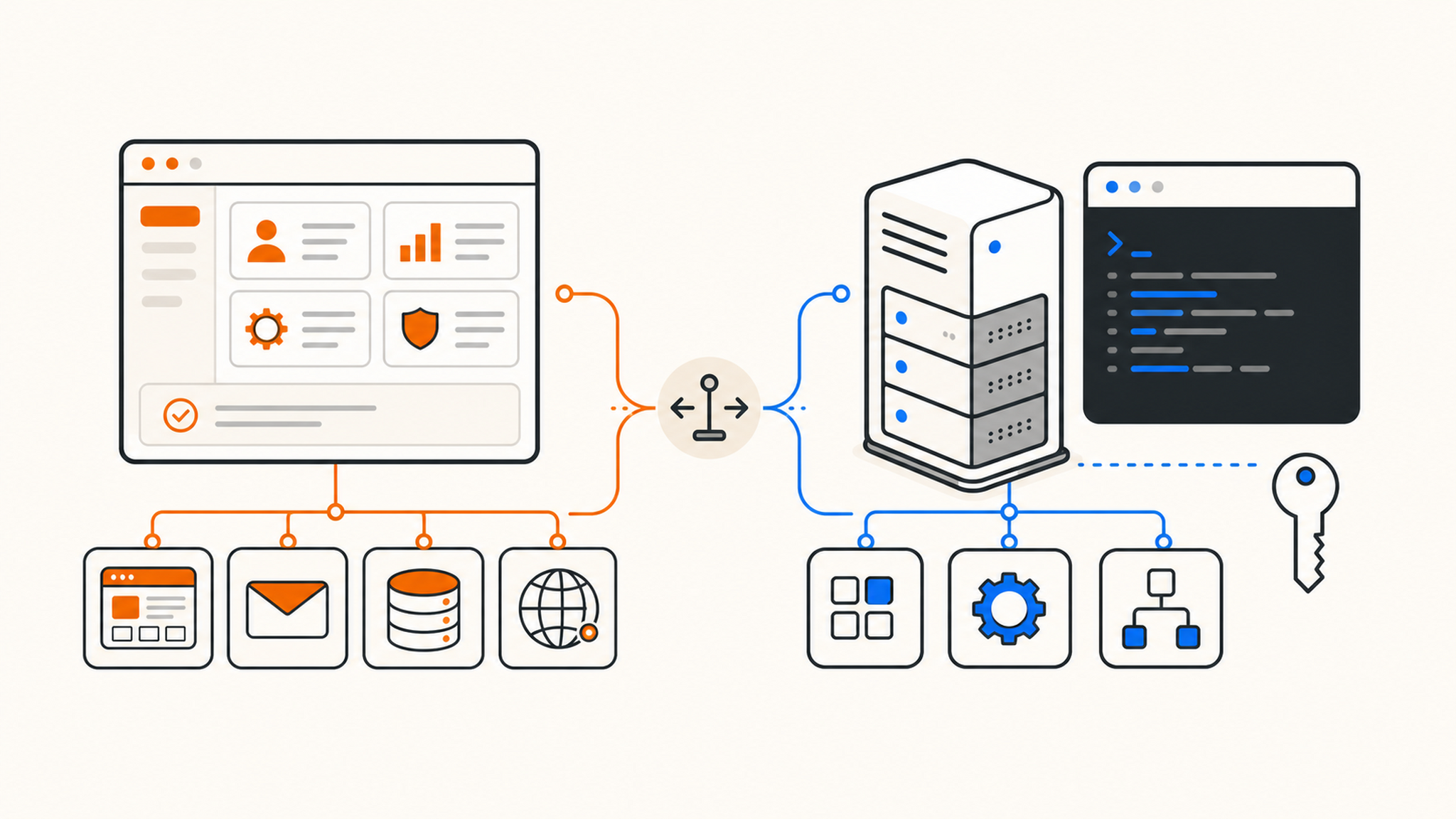
Start with the work you want to do. If you want to maintain a website, shared hosting is usually enough. If you need to control the operating system and the services running on it, you need a VPS.
The €1 difference between QDE's entry plans should not decide this. Your software, your need for email, and your willingness to maintain Linux matter far more.
QDE has just added cPanel Shared Hosting alongside our existing KVM VPS plans. We sell both. That gives us an obvious commercial interest, but very little reason to steer a WordPress blog onto a server its owner does not want to maintain. A Docker application, meanwhile, will not fit into shared hosting just because cPanel is convenient.
Shared hosting leaves the server to the provider
Shared hosting puts several customer accounts on one server and one operating system. The provider's system administrators maintain that operating system, apply security patches, tune the services, monitor the host, and deal with hardware or network faults. You look after the website.
Day-to-day work happens in a browser. cPanel covers files, FTP accounts, domains, email accounts, databases, SSL certificates, and common site tasks. cPanel's documentation gives a good picture of what sits behind that dashboard. You do not need SSH to create a mailbox or install WordPress.
QDE Shared Hosting starts at €2.95/month. Starter includes 10 GB of NVMe storage, up to 512 MB of RAM per hosting account, 4 TB of monthly transfer, a 10 Gbps shared uplink, a dedicated IPv4 address, 10 email accounts, 10 SQL databases, and daily offsite backups. It supports PHP 8.2 through 8.5 and static HTML, with MariaDB available through cPanel.
A VPS makes you the sysadmin
A virtual private server is a virtual machine with its own operating system. QDE uses KVM, the virtualization system built into the Linux kernel. The Linux KVM documentation covers the virtual machine and vCPU interfaces behind it. In ordinary use, the important part is simpler: the VPS boots its own Linux installation and gives you full root access.
You choose the packages, runtime, web server, database, firewall rules, and update schedule. Node.js, Python, Go, Docker, PostgreSQL, Redis, WireGuard, background workers, and custom systemd services are all reasonable VPS workloads.
QDE VPS Hosting starts at €3.95/month. Ryzen Mini includes one AMD Ryzen 7950X CPU core, 1 GB RAM, 15 GB of pure NVMe storage, 4 TB of monthly transfer, one dedicated IPv4 address, a /64 IPv6 subnet, daily offsite backups, and a 10 Gbps shared uplink. RAM and storage are allocated to the VPS and are not oversold. CPU time still comes from a physical host. The word "private" describes the virtual machine's isolation, not ownership of a bare-metal server.
The good and bad of shared hosting
The strongest case for shared hosting is all the maintenance you never see. You are not responsible for kernel updates, web server patches, the mail stack, PHP packaging, or the host firewall. For a WordPress blog, company website, portfolio, or small PHP application, those jobs add risk without making the site any better.
Email is easy to underestimate. On shared hosting, you can create info@example.com, connect it over IMAP, set up forwarding, and get back to the website. Running mail on a VPS means maintaining an MTA, spam filtering, DKIM, SPF, DMARC, reverse DNS, queues, reputation, and deliverability. It can be done. It is also a separate operations project.
cPanel helps when more than one person works on a site. A colleague can add a domain, restore a file, or create a database user without sudo access and without knowing where a particular service keeps its configuration.
The tradeoff is that CPU, memory, and the underlying services are shared with other accounts. A well-run platform applies resource controls, but another busy account can still compete for host resources. That is the noisy-neighbor problem. It matters less to a modest brochure site than to a job that regularly keeps every CPU core busy.
You also stay within the software stack supplied by the host. QDE Shared Hosting runs PHP, MariaDB, and static sites. It does not provide long-running Node.js or Python daemons, Docker, a custom database server, or root access. No cPanel setting changes that boundary.
The good and bad of a VPS
Root access removes the provider's application list as a constraint. You can choose a Linux distribution, pin runtime versions, run containers, configure a reverse proxy, or install a database that is not available on a shared plan. One VPS can host a website, API, queue worker, scheduled jobs, and monitoring agent if the plan has enough resources.
The isolation is clearer too. Your allocated RAM and NVMe storage belong to your virtual machine, and another customer cannot read your filesystem or change your packages. A /64 IPv6 subnet gives you address space for services that can use it.
This is also why an inexpensive VPS can create more work than an inexpensive website. QDE VPS plans are unmanaged. You must apply operating system updates, secure SSH, configure the firewall, maintain your services, and investigate failures. If an update breaks Nginx at 02:00, the invoice does not include someone logging in to repair your configuration.
Treat a public VPS as exposed from its first boot. Internet-wide scanners do not wait for you to finish setting up the application. Keep internet-facing services patched, limit management access where possible, and disable anything you do not need. Use SSH keys, disable password login when practical, and apply the first round of updates before deploying the application.
A server management panel or one-click stack can reduce the amount of configuration you do by hand. It does not turn an unmanaged VPS into a managed service. Daily backups give QDE customers a recovery path after a bad change, but last night's backup will not contain data written this morning. Keep application-level backups for data you cannot recreate.
Starter and Ryzen Mini side by side
The entry price differs by €1/month. The products are still built for different jobs.
| Starter: Shared Hosting | Ryzen Mini: VPS | |
|---|---|---|
| Price | From €2.95/month | From €3.95/month |
| Storage | 10 GB NVMe | 15 GB pure NVMe |
| Monthly transfer | 4 TB | 4 TB |
| Uplink | 10 Gbps shared uplink | 10 Gbps shared uplink |
| CPU | Shared | 1 AMD Ryzen 7950X CPU core |
| RAM | Up to 512 MB per account | 1 GB allocated RAM |
| IPv4 | 1 dedicated address | 1 dedicated address |
| IPv6 | 1 address on request | /64 subnet |
| 10 accounts and 10 mailing lists | Self-managed; port 25 is blocked by default and exceptions require review | |
| Databases | 10 SQL databases | Self-installed, limited by server resources |
| FTP | 10 accounts | Self-configured |
| Domains | 10 subdomains, 10 parked domains, 10 addon domains | Self-configured |
| Management | cPanel included | SSH and full root access |
| Daily offsite backups | Included | Included |
Paying €1 more for a VPS does not make server maintenance disappear. Saving €1 on shared hosting does not give you Docker or root access. Price is the least useful distinction between these two plans.
Daily offsite backups are standard on both. That gives you a way back when a WordPress update goes wrong or you damage a VPS configuration. Provider backups are still a safety net, not the only copy of important data.
Common projects and the sensible default
A WordPress blog, small business site, portfolio, or PHP application belongs on shared hosting unless it has an unusual requirement. Shared hosting is also the straightforward choice when you need email on your own domain and have no interest in operating a mail server. You manage sites, files, domains, and mailboxes in cPanel. The host manages the server.
A developer who needs Node.js, Python, Go, Docker, or a custom database should choose a VPS. The same applies to APIs, bots, game servers, VPNs, self-hosted applications, development environments, and anything that must run continuously in the background. You get the control, along with the maintenance bill measured in time rather than euros.
Starting on shared hosting and moving to a VPS later is normal. The move is a migration rather than a one-click plan upgrade because the server layout and mail setup are different. Both products can live under the same QDE account, and our team can help with the handoff when your requirements change.
Which one should you order?
Choose the product that fits today's job. A website owner who never wants to open a terminal will usually be happier on shared hosting. A developer who needs to control packages, services, and networking will reach shared-hosting limits quickly.
Compare cPanel Shared Hosting from €2.95/month and Ryzen VPS Hosting from €3.95/month without treating the VPS as an automatic upgrade. Shared hosting buys convenience. A VPS buys control. You can change course later.