If your VPS feels sluggish despite specs that look fine on paper, overselling might be the culprit. It's one of the most widespread practices in the hosting industry, and most providers don't advertise it. Understanding how it works helps you make a better purchasing decision and avoid paying for resources you're not actually getting.
What overselling means in VPS hosting
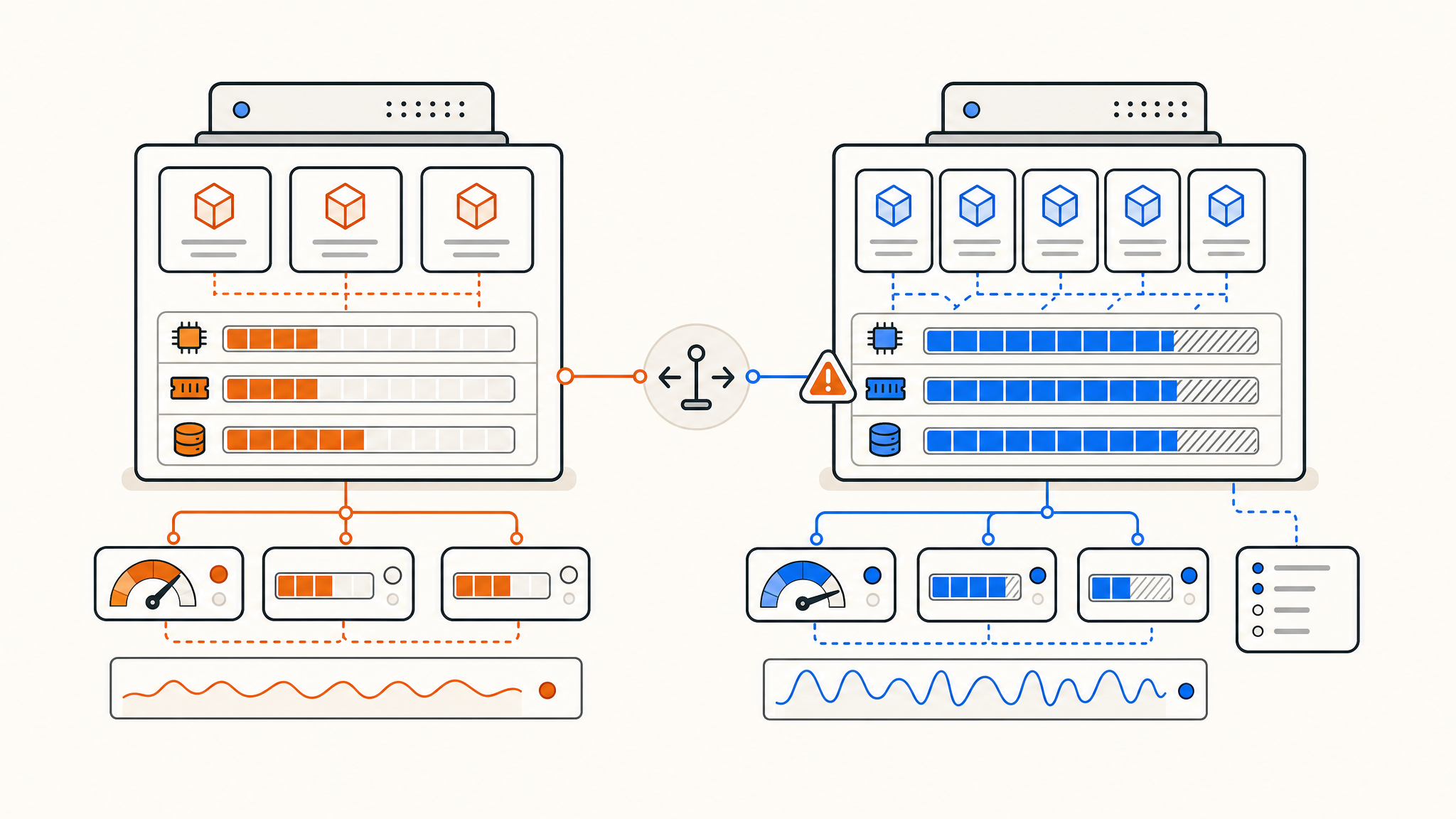
Overselling is when a hosting provider allocates more resources than the physical hardware actually has. The logic behind it is borrowed from the airline industry: not every passenger will show up, so you sell more seats than the plane holds. Applied to hosting, not every customer will use their full allocation at the same time, so you can theoretically fit more VPS instances on a single server than the specs would otherwise allow.
With traditional shared hosting, this is almost universally accepted. But with VPS hosting, the premise is different. Customers pay for dedicated, isolated resources, and overselling undermines that expectation entirely.
How RAM overselling works
RAM is the easiest resource to oversell, and it's extremely common. A provider might have a physical host with 256 GB of RAM but provision VPS instances that collectively add up to 512 GB or more. When usage is low, this works fine. When multiple tenants start consuming their allocated RAM simultaneously, the host runs out of physical memory and starts swapping to disk, or worse, starts killing processes via the OOM (out-of-memory) killer.
What this looks like on your end: your application suddenly crashes, services restart unexpectedly, or everything grinds to a near halt. These events can look like bugs in your software when the real cause is the host running out of physical memory.
Some providers use memory ballooning techniques in their hypervisors to dynamically reclaim unused RAM from idle VMs. This is slightly more honest than raw overselling, but it still means your allocated memory isn't guaranteed.
How CPU overselling works
CPU is a bit more nuanced. Modern hypervisors let providers assign more vCPUs to virtual machines than the physical host has logical cores. A server with 64 physical threads might have 200 vCPUs allocated across its VMs. As long as most VMs are idle, the scheduler can handle it.
The problem surfaces under load. If several tenants start running CPU-intensive workloads simultaneously, they're all competing for the same physical threads. The hypervisor scheduler has to time-slice aggressively, and your tasks get queued. This shows up as CPU steal time, which is the percentage of time your vCPU is waiting for physical CPU access that the hypervisor isn't giving it.
High steal time is a reliable signal that your host is overselling CPU. Tools like top, vmstat, or sar expose the "st" column in Linux, which shows steal directly. If you're seeing consistent steal above 5-10%, your VPS is sharing more than it should.
How storage overselling works
Storage overselling follows the same pattern. Providers provision more total disk space across VMs than their storage arrays physically hold, assuming that most customers won't fill their disks. This can work for a while, but when the underlying storage fills up, writes start failing or slow dramatically. With spinning disks this was historically common; with NVMe arrays it's less forgiving because the performance cliff is steep and usually unexpected.
Beyond raw capacity, storage performance can also be degraded through IOPS throttling or contention on shared arrays. Even if you have physically provisioned space, multiple VMs hammering the same SSD can saturate its write throughput.
The "noisy neighbor" problem
Whether it's RAM, CPU, or disk, overselling leads to what's commonly called the noisy neighbor problem. Your VPS shares a physical host with other tenants. If one of them starts running a backup job, compiling a large codebase, or serving a traffic spike, it can consume disproportionate resources and affect every other VM on the same host.
On an oversold host, a single heavy tenant can destabilize the entire machine. This is why VPS performance can seem wildly inconsistent, fast at 2am, sluggish at noon. The variability isn't random; it tracks how busy your neighbors are.
How to detect if your VPS is oversold
There are a few practical ways to check.
Watch CPU steal time. As mentioned, the st column in top is your clearest signal. Run a CPU-intensive task and monitor whether steal climbs.
Run memory pressure tests. Tools like stress-ng can allocate memory and expose whether your system starts swapping under the load you'd expect to handle easily.
Benchmark disk throughput consistently. Use fio to test sequential and random read/write speeds at different times of day. Wide variance between results suggests contention on a shared storage pool.
Monitor baseline latency. Unexplained latency spikes, especially under light load, often come from hypervisor scheduling delays on a busy host.
What a non-oversold VPS looks like
Providers who don't oversell guarantee that the resources you pay for are physically reserved for your instance. Your RAM is allocated exclusively to your VM, not shared from a pool. Your vCPUs map to actual threads that aren't being handed off to fifty other VMs. Your NVMe storage is provisioned from capacity that actually exists on the disk.
The practical difference shows up in consistency. Benchmarks taken at different times of day should return similar results. CPU steal stays low or at zero. Memory-intensive applications don't crash randomly. Disk throughput is predictable.
This also matters for sizing. If you're running a database or caching layer, oversold RAM means you can't trust your memory limits. You might tune your MySQL buffer pool to 80% of allocated RAM and find it's competing with other VMs for physical memory that was never actually yours.
Why providers do it
The honest answer is margin. Physical hardware is expensive, and a provider that provisions resources 1:1 has to charge more to cover costs than one that sells the same spec at a 2:1 or 3:1 overcommit ratio. For many workloads, especially low-traffic websites or development environments, overselling genuinely doesn't matter day to day. The problem is that customers buying oversold VPS for production workloads often don't find out until something goes wrong.
Some providers advertise "no overselling" or "guaranteed resources" explicitly. That's worth looking for. Others don't mention it at all, which is usually a sign to dig deeper before committing.
Conclusion
Overselling is a real performance risk, particularly for anyone running production services on a VPS. If your workload depends on predictable memory, CPU access, or disk throughput, understanding what your provider actually guarantees matters more than the listed specs.
Thanks for reading! If you're looking for a hosting environment where resources are never oversold, QDE offers unmanaged KVM VPS hosting with dedicated RAM, pure NVMe storage, and AMD EPYC and Ryzen processors — none of it shared from an overcommitted pool.
Ready to start or have questions? Contact our team and we'll help you find the right plan for your workload.
Frequently asked questions about VPS overselling
What is overselling in VPS hosting?
Overselling is when a hosting provider allocates more resources across its VMs than the underlying physical server actually has. This can affect RAM, CPU, and storage, and often results in inconsistent or degraded performance during peak usage.
How can I tell if my VPS is oversold?
The most direct signal is CPU steal time, visible in Linux via the st column in top or vmstat. Consistent steal above 5% under moderate load suggests your host is overcommitted. You can also benchmark disk throughput and memory at different times of day; wide variance is a red flag.
Does overselling always cause problems?
Not always. For light workloads like low-traffic sites or dev environments, an oversold VPS may perform fine most of the time. Problems become more visible under sustained load or when multiple tenants are active simultaneously.
What's the noisy neighbor problem?
It refers to the situation where one tenant on a shared physical host consumes a disproportionate share of resources, degrading performance for everyone else on the same machine. It's a direct consequence of overselling.
How do I avoid oversold VPS hosting?
Look for providers that explicitly state they don't oversell RAM or CPU. Check for benchmarks and independent reviews. Ask the provider directly about their overcommit ratios. Providers that refuse to answer or deflect are often overselling.
What resources are most commonly oversold?
RAM is the most commonly oversold resource, followed by CPU. Storage can also be oversold, though some providers use thin-provisioned storage pools which behave similarly in practice.