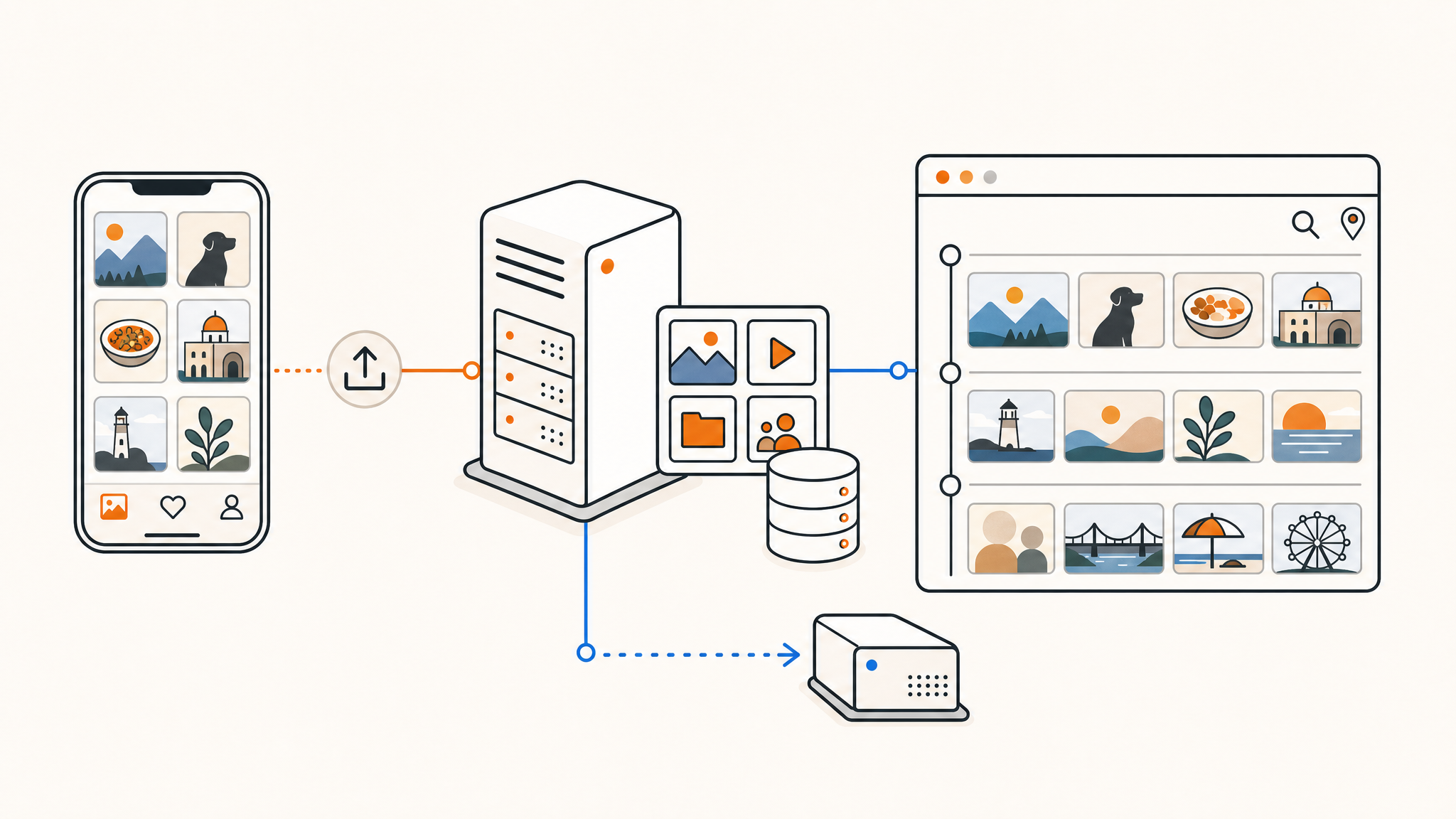
Google Photos is convenient right up until it isn't. The free tier filled up years ago, the storage tiers keep getting more expensive, and every photo you upload gets scanned, analyzed, and folded into someone else's training data. If you've been looking for a way out, the good news is that the self-hosted alternative has finally caught up. This guide shows you how to self-host Immich, the closest thing to a drop-in Google Photos replacement that runs entirely on hardware you control.
By the end you'll have Immich running with Docker Compose, your phone backing up automatically in the background, and a plan for keeping the whole thing backed up properly. None of it is complicated, but a couple of steps are easy to get wrong, so it's worth following along carefully.
Why Immich is the best Google Photos alternative
Self-hosted photo managers have existed for years, but most asked you to give up the features that made Google Photos worth using. Immich doesn't. It ships polished iOS and Android apps with automatic background backup of your camera roll, a fast scrolling timeline, shared albums, a map view, and on-device machine learning for face grouping and natural-language search. You can type "dog on the beach" and actually get the right photos back, with all of that processing happening on your own server rather than in a data center you don't own.
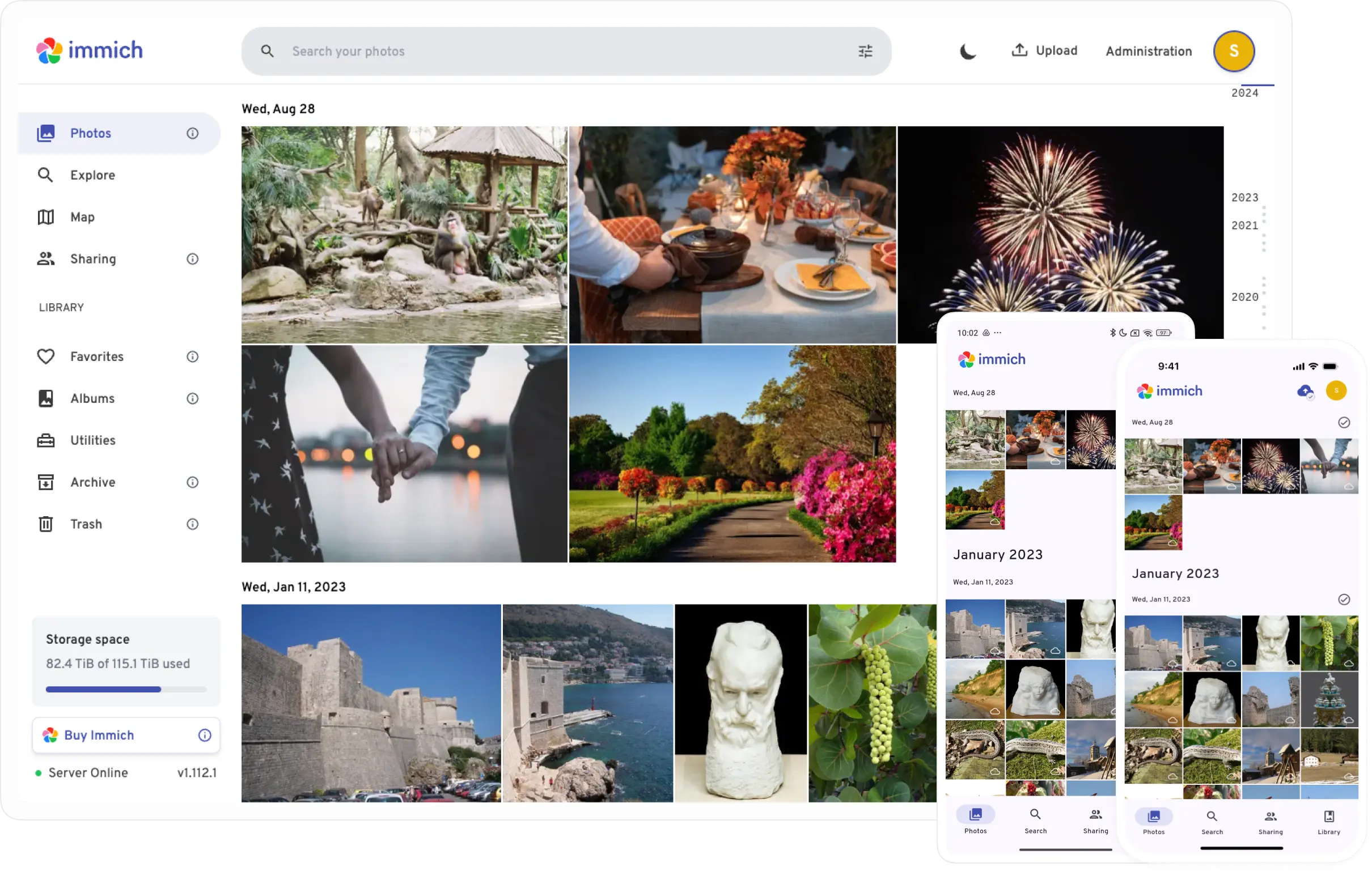
The project is also one of the fastest-moving in the self-hosting world. It crossed 100,000 stars on GitHub, reached a stable 2.0 release in late 2025, and continues to ship regular updates. That pace is a feature, but it comes with one important caveat: things can change between versions, so pinning a release and reading the release notes before upgrading is part of the deal. More on that later.
The privacy math is the real draw. When you self-host, your photos never touch a third party. There's no scanning, no quotas beyond your own disk, and no policy change that can lock you out of a decade of memories. For anyone in the EU, you also become both the data controller and processor for your own library, which sidesteps a lot of the GDPR complexity that comes with handing personal media to a cloud provider.
What you'll need before you start
Immich runs on Linux only, and it expects a few things to be in place:
- A Linux server (Ubuntu 22.04/24.04, Debian, or Rocky all work fine) with Docker Engine and the Docker Compose plugin installed.
- At least 2 CPU cores and enough RAM that the machine learning container is comfortable. 4 GB is a workable floor, 6 GB is a better starting point, and 8 GB or more is sensible once your library grows.
- Storage with room to grow. Plan for the size of your raw photo library, plus 10 to 20% overhead for thumbnails and transcoded video, plus 1 to 3 GB for the PostgreSQL database.
NVMe storage makes a real difference here, since Immich does a lot of thumbnail generation and database work that benefits from fast random I/O. A VPS is a natural fit for Immich if you want your photos reachable from anywhere without leaving a machine running at home, which is exactly the kind of workload covered in our self-hosted apps use cases.
What's inside the Immich stack
Immich isn't a single container. The official Docker Compose file defines four services that work together, and it helps to know what each one does:
- immich-server handles the web interface, the API, and the endpoint your mobile apps talk to. It publishes port 2283.
- immich-machine-learning runs the face recognition and smart search models. It's a separate container so you can give it more resources or hardware acceleration independently.
- redis (actually a Valkey image) is the in-memory store for job queues and caching.
- database is a PostgreSQL image built by the Immich team with the VectorChord and pgvector extensions that power similarity search. Immich needs this specific image; a stock Postgres won't work.
You don't write any of these definitions yourself. You download a maintained Compose file from the project, which keeps everything wired together correctly even as the stack changes.
Step 1: Prepare a directory
Assuming Docker and the Compose plugin are already installed, make a dedicated directory for Immich and move into it:
mkdir -p ~/services/immich
cd ~/services/immich
Keeping each self-hosted service in its own directory makes backups and updates much easier to reason about later.
Step 2: Download the official compose file
Pull the two files Immich publishes with every release, the Compose file and the example environment template:
wget -O docker-compose.yml https://github.com/immich-app/immich/releases/latest/download/docker-compose.yml
wget -O .env https://github.com/immich-app/immich/releases/latest/download/example.env
These are the exact commands from Immich's official documentation. Downloading the maintained file rather than copy-pasting a snippet from a random blog post is the right move, because the released file is always internally consistent with the image versions it references.
Step 3: Configure your environment file
Open .env in your editor of choice and set the variables that matter:
# Where your uploaded photos and videos live on the host
UPLOAD_LOCATION=./library

# Where the Postgres database files live on the host
DB_DATA_LOCATION=./postgres

# Your timezone
TZ=America/Chicago

# Pin a specific version instead of tracking "release"
IMMICH_VERSION=release

# Database credentials, change the password to something random
DB_PASSWORD=postgres
DB_USERNAME=postgres
DB_DATABASE_NAME=immich
Two things deserve attention here. First, change DB_PASSWORD to a long random string before you ever start the stack. Changing it after the database is initialized means migrating data, which is a headache you can avoid entirely with thirty seconds of planning.
Second, pin IMMICH_VERSION to a specific tag, for example a value like v2.7.5, rather than leaving it on release. Immich moves quickly, and a major version such as the upcoming v3.0 can remove older features. Pinning means an update only happens when you decide it should, after you've read what changed.
UPLOAD_LOCATION is the single most important setting in the file. It's the directory that holds every photo you back up, so put it on a disk with plenty of headroom and make sure it's part of your backup plan from day one.
Step 4: Start Immich
From inside ~/services/immich, bring the stack up:
docker compose up -dDocker pulls the four images and starts them in order. The first launch takes a few minutes while the database initializes, so don't panic if the web interface isn't immediately available. You can watch progress with:
docker compose logs -f immich-serverOnce the server reports it's ready, open http://your-server-ip:2283 in a browser. You'll land on the admin registration page. The first account you create is the administrator, so set it up, log in, and you'll be looking at an empty timeline waiting for photos.
Step 5: Set up mobile backup
This is the feature that actually replaces Google Photos. Install the Immich app from the App Store or Google Play, then point it at your server.
On the login screen, enter your server URL. On your local network that's http://your-server-ip:2283. Once you've set up a reverse proxy with a real domain (covered below), you'll use the HTTPS address instead. Log in with the account you created, open the app's backup settings, choose the albums you want backed up (usually your camera roll), and enable background backup.
The app keeps track of which photos are already uploaded, so it's safe to let it run continuously. It uploads new photos in the background as you take them, which is exactly the behavior you're used to from Google Photos.
Step 6: Migrate your existing library
New photos are handled by the app, but you'll also want to bring over everything already sitting in Google's cloud. Use Google Takeout to export your existing library, then upload the export through the Immich web interface or the immich-cli bulk uploader. For large archives the command-line uploader is faster and easier to resume if it gets interrupted.
Step 7: Hardware acceleration (optional)
Two parts of Immich speed up with hardware acceleration: the machine learning container that handles face recognition and search, and the video transcoding that happens on the server container. Immich ships separate Compose override files for this, which you download alongside the main file. The exact configuration depends on whether you have Intel QuickSync, an NVIDIA GPU, or another accelerator, and it's documented in detail on the Immich hardware acceleration page.
If you're running on CPU only, Immich still works perfectly well. Machine learning jobs simply take longer to process, which matters during the initial import and then barely at all once your library is indexed and only keeping up with new photos.
Step 8: Put Immich behind a reverse proxy
To reach Immich from outside your network and to let the mobile app connect over HTTPS, put it behind a reverse proxy pointed at the server container's port 2283. Caddy, Traefik, and Nginx all handle this well. Photo and video uploads can be large, so make sure your proxy doesn't impose a small request-size limit; with Nginx you'll want to raise client_max_body_size, while Traefik has no default cap.
Because your entire photo history is sensitive, think carefully about exposure. If you don't actually need public access, keeping Immich reachable only over a VPN like WireGuard or Tailscale is the safer posture, and the mobile app connects to a private hostname just as happily as a public one. Either way, running it on infrastructure with strong privacy and data protection practices matters when the data in question is your family photos.
Step 9: Back up your library and database
This is the step you cannot skip. A complete Immich backup is two things, and you need both:
- The upload library, your
UPLOAD_LOCATIONdirectory, which holds the actual photo and video files. - The database, which stores your faces, albums, metadata, and the mapping that makes the library navigable. Dump it on a schedule with
pg_dumpfrom the database container.
A library backup without the database leaves you with a folder of files and no organization. A database backup without the files leaves you with metadata pointing at nothing. Apply a real 3-2-1 backup strategy here above any other service you run, because the cost of getting it wrong is irreplaceable. Server-level daily backups are a good safety net, but they don't replace your own off-site copies of something this important.
Keeping Immich updated
Because you pinned IMMICH_VERSION, upgrading is a deliberate act rather than something that happens by surprise. Read the release notes for the version you're moving to, confirm your backup just ran, bump the version tag in .env, then pull and recreate:
docker compose pull
docker compose up -d
Database migrations run automatically on start. Reading the release notes and keeping the version pinned is what keeps Immich's fast development pace from catching you off guard.
Closing thoughts
Self-hosting Immich gives you a faster, private, ad-free photo timeline that does face recognition and smart search locally, backs up your phone automatically, and stores everything on disks you control. It's one of the most satisfying self-hosted swaps you can make, and also the one where good backups matter most.
Thanks for reading! If you're looking for somewhere to run it, QDE provides high-performance VPS hosting in the Netherlands with pure NVMe storage, 10 Gbps uplinks, and EU-based infrastructure, which is a solid match for a privacy-focused photo server. RAM and storage are never oversold, so the resources Immich needs are the resources you actually get, and crypto payment options make it easy to keep the whole setup private.
Ready to get started or want advice on sizing a VPS for Immich? Contact our team to find the best fit for your project.
Frequently asked questions about self-hosting Immich
Is Immich a good replacement for Google Photos?
Yes, for most people it's the closest self-hosted equivalent available. It offers automatic mobile backup, face recognition, natural-language search, shared albums, and a map view, all running on your own hardware with no scanning and no storage quotas beyond your own disk.
What are the system requirements for Immich?
Immich runs on Linux with Docker. Plan for at least 2 CPU cores and 4 GB of RAM as a floor, with 6 to 8 GB recommended once your library grows. Storage should cover your raw library plus 10 to 20% overhead for thumbnails and transcodes, plus 1 to 3 GB for the database.
Can I run Immich on a VPS?
Absolutely, and a VPS is a great fit if you want your photos reachable from anywhere without keeping hardware running at home. A plan with NVMe storage and enough RAM for the machine learning container will give you a smooth experience.
Do I need a GPU for Immich?
No. A GPU speeds up the initial machine learning indexing and video transcoding, but Immich works fine on CPU-only servers. The ML jobs just run more slowly, which mainly affects the first import rather than day-to-day use.
How do I back up Immich properly?
Back up two things: your upload library directory and the PostgreSQL database. The files are your photos, and the database holds the albums, faces, and metadata that organize them. You need both, plus off-site copies, following a 3-2-1 backup approach.
How do I move my existing Google Photos library into Immich?
Use Google Takeout to export your library, then upload it through the Immich web interface or the command-line bulk uploader. The CLI uploader is the better option for large archives because it's faster and easy to resume.